Security – Blocking XML-RPC (WordPress)

Rarely used but available on every WordPress site and some other CMSs, the XML-RPC feature is a major target for attacks. We have therefore decided to block, by default, all requests made to this file across all HaiSoft servers.
What is XML-RPC?
The xmlrpc.php file allows data to be sent and received over HTTP in XML format. This opens the door for certain programs and applications to connect directly to your site.
Why is this a problem?
This back door is a potential security hole that hacking bots try to attack constantly, and more and more often.
The finding is simple: on a web server hosting a high proportion of WordPress sites, up to 50% of POST requests can be attacks on xmlrpc.php.
This figure drops to 15–25% on a more mixed server, which is still far higher than the roughly 0% you would expect.
The server resources wasted are therefore far from negligible, and the risk of a security flaw or weak password being discovered is significant.
The block
Faced with the rise in this type of attack, we have decided to block the xmlrpc.php file by default. On servers running fail2ban (in French) — including shared servers — repeated access to this file will result in the attacking IP being blocked.
Roll-out
The block will be applied to:
- All shared servers before the end of October
- All new VM and dedicated servers from today
- VM and dedicated servers slowed down by these attacks, on a case-by-case basis
Pros and cons of this solution
The main advantages are:
- Improved security for all the sites concerned
- Reduced load & faster servers
- Lower server energy consumption
The only drawback is:
- The few users who actually need XML-RPC will have to contact HaiSoft support to allow the API and unblock their IP if necessary.
The feature can be re-enabled on request via a support ticket from your customer area.
Update:
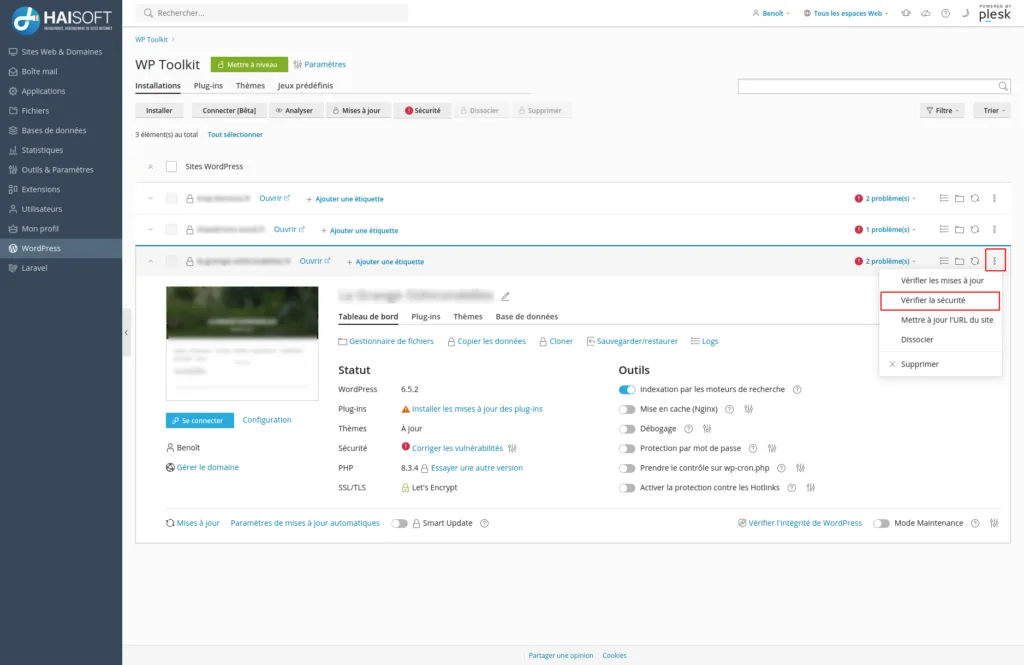
Please also note that a different blocking layer may be in place: in WP Toolkit, if you have access to it, there is an option to block access to xmlrpc.php:
In your Plesk control panel, go to the “WordPress” menu and, for the site concerned (if it is listed in WP Toolkit), click the menu shown as three stacked dots, then “Check Security”.
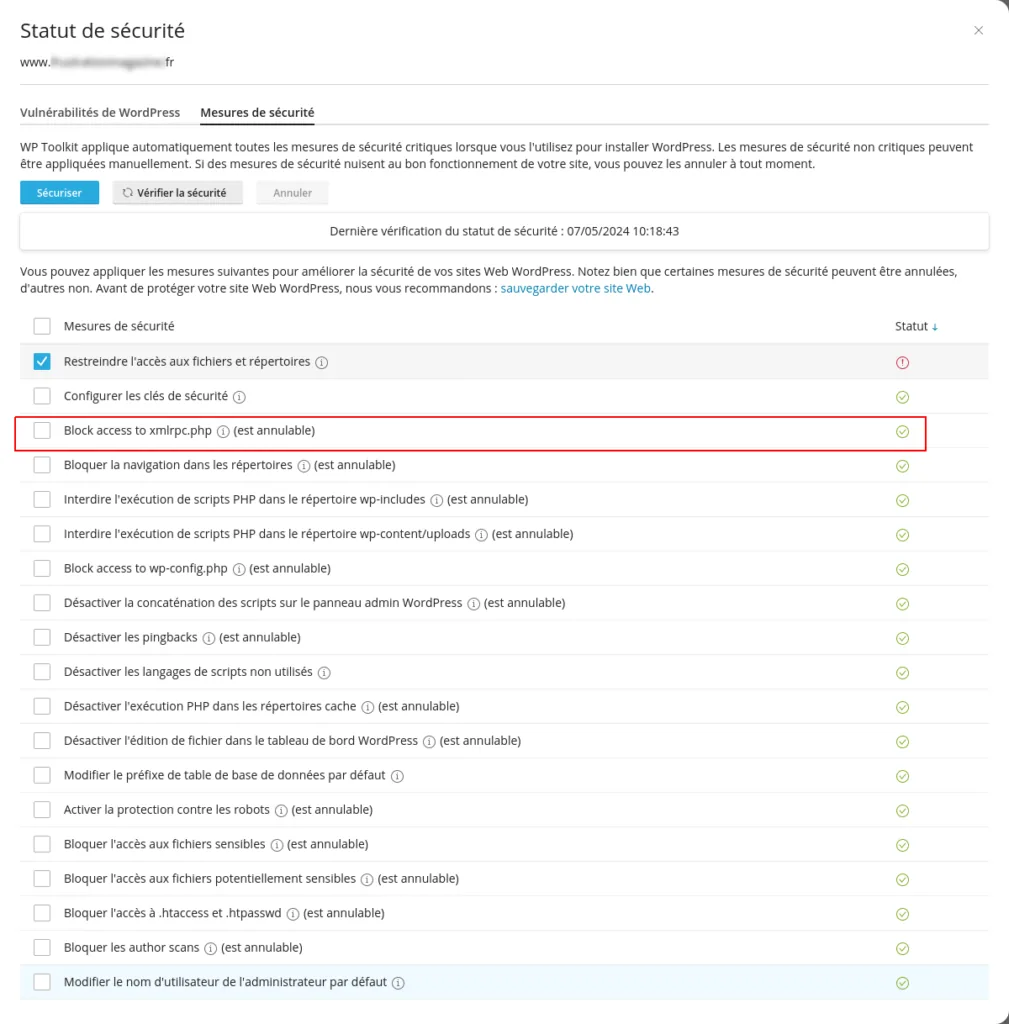
In the window that opens, tick the box next to “Block access to xmlrpc.php”, then choose either Secure or Revert, depending on whether you want to apply or remove the block.
As always, our team is on hand to answer any questions you may have.